Princess Coloring Book Glitter
FunKidStudioArt & Design
3.818.00 Reviews
- Version
- 14
- Installs
- 1.00M
- Age Rating
- Everyone
Screenshots
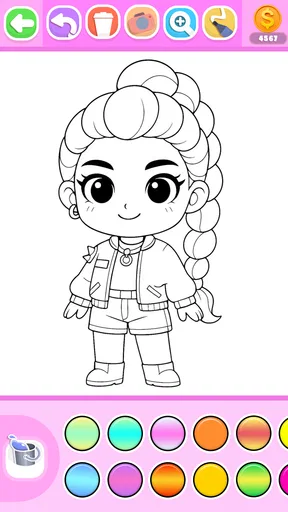
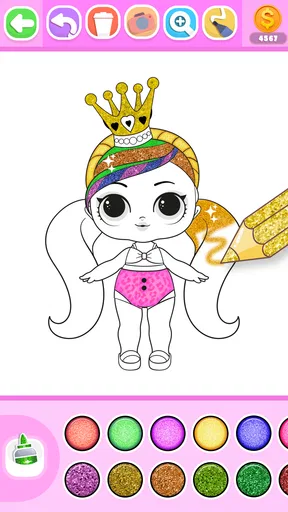
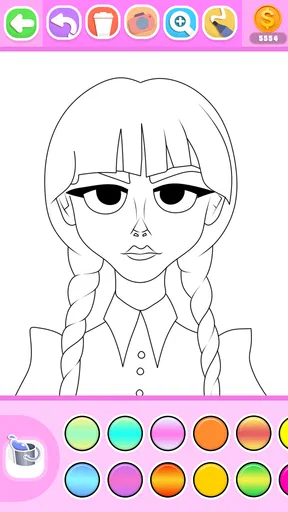
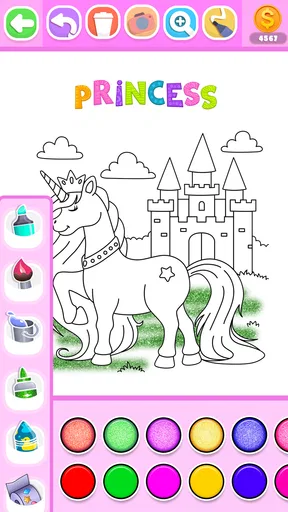
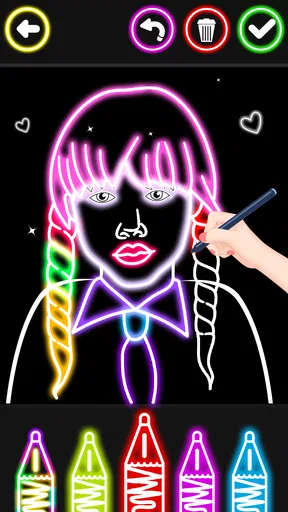
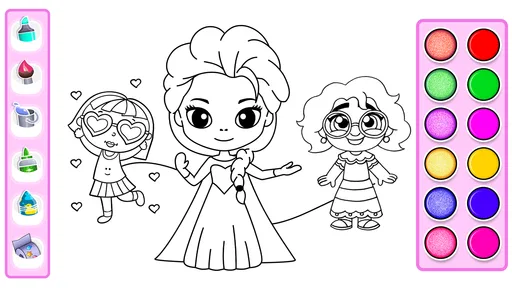
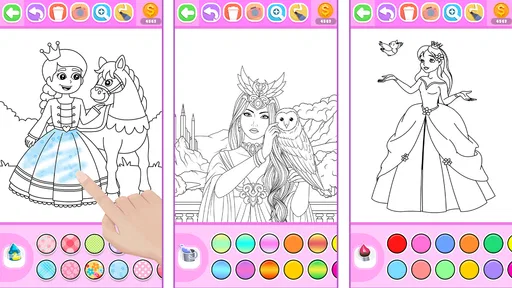
Our Review of Princess Coloring Book Glitter
 Analysis by Appyee
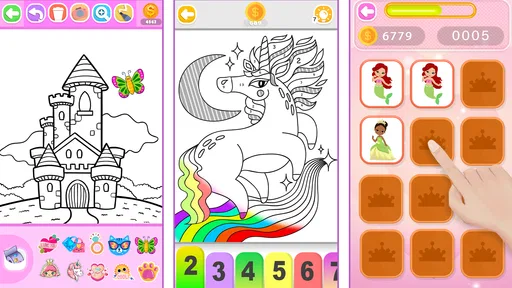
Princess Coloring Book Glitter is the kind of art app I would hand to a child who wants something bright, simple, and immediately understandable. I spent time with it as a casual coloring experience rather than treating it like a serious drawing studio, and that distinction matters. Its focus is princess-themed coloring with glitter-style decoration, so the appeal comes from choosing a picture, filling areas, and enjoying a sparkly result without having to learn a complicated toolset.
FunKidStudio has positioned this as a free app in the Art & Design category, with an Everyone age rating. It has reached over a million installs, which fits its broad, family-friendly purpose. The average score sits at 3.6 from roughly a thousand ratings, so the reception is mixed rather than universally enthusiastic. My impression is similar: it is approachable and entertaining for short sessions, but its simplicity and possible reliance on connectivity will not suit every family.
How the coloring experience feels in everyday use
The first strength is the low learning curve. A child does not need to understand layers, brushes, opacity, or a color wheel before starting. The princess theme gives the app a clear identity, while the glitter treatment makes ordinary coloring feel more like a small reward. I found that this works best when the goal is relaxed play: a few minutes after school, a quiet activity while traveling, or a screen-based alternative to watching another video.
The app is also easier to introduce than a general-purpose drawing application. Traditional drawing tools can overwhelm younger users with too many controls, and adult coloring apps often assume patience for detailed patterns. Here, the subject matter and decoration do much of the work. A child can concentrate on selecting colors and finishing a picture instead of wondering what every button does.
That simplicity is also the main trade-off. Anyone looking for freehand sketching, detailed brush control, serious illustration, or a large creative workspace should choose a different type of app. This is a guided coloring activity, not a replacement for a full drawing studio. I would describe it as a digital coloring book with decorative sparkle rather than an art course.
Where an internet connection can affect the session
Connectivity matters most around the parts of a mobile app that need to load content, display advertising, or complete store-related actions. I would not plan a child’s activity around the assumption that every part will behave identically without a connection. If a picture, screen, or interactive element takes longer to appear, the experience can feel less smooth than coloring on paper.
This is especially relevant when using the app away from home. A parent may open it in a waiting room, on public transport, or during a trip and expect an instant activity. When the connection is weak, the practical issue is not only speed. A child may tap repeatedly because the screen appears unresponsive, accidentally open another area, or lose interest before the coloring page is ready. My advice is to test the particular pages you expect to use before relying on them during travel.
The connection question also changes how I view the app for younger children. With a paper coloring book, the activity begins as soon as the pencils are available. With a connected mobile app, the surrounding phone environment can become part of the experience. Parents should stay nearby during the first sessions, especially if a child is not yet comfortable distinguishing the coloring canvas from other tappable elements.
Why it works well on a phone or tablet
The format is naturally suited to touchscreens. A child can hold a phone in both hands, tap a color, and work through a page without needing a mouse or keyboard. A tablet is more comfortable for longer coloring sessions because the larger canvas gives small fingers more room and makes decorative details easier to see. On a phone, I would keep expectations modest and treat it as a short activity rather than a long creative project.
A useful everyday routine is to let a child choose one picture before a predictable transition, such as getting ready for dinner. The limited scope can be an advantage: finishing one page feels achievable, while an open-ended drawing app may encourage endless fiddling with tools. I also like the idea of using it as a calm handoff between activities, provided the device is already prepared and the child is not being left to navigate the wider phone alone.
Touch accuracy becomes more important on smaller screens. If a child colors quickly, taps may land beside the intended area or feel less precise than expected. I found that encouraging slower, deliberate taps makes the activity more satisfying. For a younger user, a tablet with a clean screen and comfortable brightness is a better fit than a cramped phone display.
Another practical point is battery and attention. Glitter effects can make the result feel lively, but visual decoration can also keep a child focused on tapping for longer than planned. I would set a simple time boundary before opening the app. The application is easy to start, which is helpful, but that same ease means it can become the default screen activity unless an adult provides an ending point.
What happens when loading or interaction goes wrong
When a coloring app behaves unexpectedly, the best recovery method is simple: stop tapping repeatedly, wait briefly, and return to the previous screen if the interface allows it. Repeated taps can make a delayed response harder to understand, particularly for a child. If the page does not appear, closing and reopening the app is a sensible first step, followed by checking the connection before assuming the picture or coloring action has disappeared.
I would also avoid starting a new page immediately before a child needs to leave. Give the app a little preparation time, particularly on a weaker mobile connection. That small change removes much of the frustration associated with a session that begins while everyone is already in a hurry.
Parents should explain what to do if an accidental tap opens something unfamiliar: put the device down and ask for help. This is more useful than telling a child to keep trying buttons. Because the app is free, it may include parts of the normal mobile-app environment that are separate from the actual coloring activity. Supervision is therefore part of a smooth recovery plan, not a sign that the app is unusually difficult.
The version listed for the app is 14 and it requires Android 7.0 or later. That makes compatibility a straightforward check before installation, especially on an older family phone or a hand-me-down tablet. If the device is below that system requirement, I would not build a routine around this app. On a supported device, keeping the operating system and app current is generally the first troubleshooting step when screens load poorly or controls respond inconsistently.
Using it without wasting mobile data
For a data-conscious household, I would prepare the app at home over a trusted Wi-Fi connection rather than first opening it during a journey. This does not guarantee that every later action will work without internet access, but it reduces the chance that initial loading consumes mobile data at the worst possible moment. It also gives you a chance to see how the app behaves before handing the phone to a child.
It is worth watching the screen during the first use and noting which parts seem to require loading. Avoid repeatedly reopening pages just to browse when using cellular data, and close the app when the activity is finished. These are small habits, but they matter more with a child’s device because repeated exploratory taps can create unnecessary network activity.
The free download is a clear advantage for trying the experience, although optional in-app purchases range from less than a dollar to several dollars per item. I would not let a child explore purchase prompts independently. A parent should handle any payment decision and, ideally, use the device’s purchase controls to prevent accidental transactions. The important point is that “free” describes the starting cost, not a promise that every optional item is included.
For families watching both data and spending, the most sensible approach is to treat the app as a controlled activity: install it over Wi-Fi, inspect the available screens, decide whether optional items are worthwhile, and then give the child access only to the coloring workflow. That arrangement preserves the low-cost appeal without turning a quiet activity into an unexpected account-management problem.
Who will enjoy it, and who should choose another app
I recommend it most readily to younger children who already enjoy princess themes and want a guided way to color on a touchscreen. It can also work for a parent seeking a simple creative distraction that does not require teaching a complicated interface. The Everyone rating supports its family-oriented positioning, but an age label should not replace adult judgment about supervision, device access, and purchase controls.
It is less suitable for a child who wants to draw original characters, practice handwriting, make detailed digital paintings, or control every visual aspect of a picture. In those cases, a general drawing app with freehand brushes and more precise editing will offer greater room to grow. Likewise, someone who wants a completely predictable activity during a flight or rural trip may prefer a physical coloring book unless they have already tested how this app behaves with limited connectivity.
Compared with paper, the app is cleaner, portable, and more visually playful, but paper does not need charging, loading, or account safeguards. Compared with a full digital art application, this one is faster to understand and less intimidating, but it offers less creative freedom. Compared with broad children’s entertainment apps, its advantage is focus: the child is encouraged to complete a coloring task instead of jumping between unrelated activities.
One useful workflow is to pair it with a real-world creative activity. A child can color a digital princess first, then use the chosen colors as inspiration for a paper drawing or a story. This makes the app a starting point rather than the entire creative experience. It also helps prevent the glitter effects from becoming the only reason to keep using it.
My practical verdict on the connected experience
After using it as a short-form coloring activity, I see a clear audience for Princess Coloring Book Glitter. It is inviting, easy to understand, and well matched to children who enjoy decorative princess artwork. The glitter style gives the basic tap-to-color action a little extra excitement, while the uncomplicated structure makes it easier for a parent to explain than a professional drawing tool.
My reservations are equally practical. The modest average rating suggests that the experience will not satisfy everyone, and the app’s simplicity may feel limiting once a child wants more than guided coloring. Connectivity can also shape the experience at inconvenient times, so I would not assume it is the perfect emergency activity until testing it on the devices and networks you actually use.
FunKidStudio’s app is free to try, supports Android devices running version 7.0 or later, and includes optional purchases priced from $0.99 to $4.99 per item. Those details make it easy to experiment while still calling for sensible parental controls. I would install it for a child who wants sparkly princess coloring, prepare it over Wi-Fi, supervise the first sessions, and keep a paper alternative available for travel.
My final recommendation is therefore positive but specific: choose it for quick, guided, family-friendly coloring, not for advanced art or guaranteed no-connection use. If that matches what you need, it can turn a spare few minutes into a pleasant creative break. If you need unrestricted drawing, dependable travel access, or a completely payment-free environment, another option—or a traditional coloring book—will be the better fit.
Privacy and Permissions
See what permissions an app requests and how it handles your data.
- Photos/Media/Files
- read the contents of your USB storage, modify or delete the contents of your USB storage
- Storage
- read the contents of your USB storage, modify or delete the contents of your USB storage
- Other
- view network connections, full network access, control vibration, prevent device from sleeping
Verdict
Strengths of Princess Coloring Book Glitter
- Simple controls make it easy for children to color independently.
- Glitter effects add a fun, sparkly finish to completed pictures.
- A relaxing activity that can encourage creativity and concentration.
- Princess-themed pages appeal to fans of fairy tales and fantasy characters.
- Works well as a quiet, offline entertainment option for travel or downtime.
Limitations of Princess Coloring Book Glitter
- Some coloring pages or tools may require in-app purchases to unlock.
- Glitter effects can feel repetitive after extended play sessions.
- The princess-focused theme may offer limited appeal for some children.
- Ads may interrupt play, depending on the app version and device.
- Coloring precision can be difficult on smaller phone screens.
Other Releases by FunKidStudio
View All
Glitter Beauty Coloring Pages
Art & Design3.9

Family Love Coloring Book
Parenting3.6
Similar Picks in This Category
View All
Canva: AI Photo & Video Editor
Canva4.8

PENUP – Drawing-sharing SNS
Samsung Electronics Co., Ltd.4.5

Crafto
Kutumb App4.6

Sketchbook
Sketchbook4.1

ibis Paint X
ibis inc.4.5

Adobe Express: AI Photo, Video
Adobe4.6
Frequently Asked Questions
What is Princess Coloring Book Glitter?
Princess Coloring Book Glitter is a digital coloring app designed around princesses, fairytale characters, dresses, castles, and magical scenes. After testing its main features, I found that it combines simple coloring tools with glitter-style effects, allowing users to fill illustrations with bright colors and sparkling finishes. It is aimed primarily at children, although adults who enjoy relaxing coloring activities may also find it entertaining.
Is Princess Coloring Book Glitter suitable for children?
Yes, the app is generally suitable for children who enjoy creative and uncomplicated coloring activities. The interface is easy to understand, and most interactions involve choosing a color, selecting an area, and decorating the picture. Parents should still review the app’s advertising, privacy settings, and any available in-app purchase options before allowing younger children to use it independently.
Does Princess Coloring Book Glitter require an internet connection?
Many of the basic coloring activities can usually be enjoyed without a constant internet connection once the application and its content have loaded. However, an internet connection may be needed for advertisements, downloading additional artwork, restoring purchases, or accessing certain online features. Availability can vary by device version, so it is best to open the app once while connected before using it offline.
Is Princess Coloring Book Glitter free to download and use?
Princess Coloring Book Glitter is commonly offered as a free download, but free apps may include advertisements, optional purchases, or locked content. The core coloring experience can generally be tried without paying, while some artwork, effects, or ad-removal options may require a purchase. Check the Google Play Store or App Store listing for the current pricing and purchase details before downloading.
What devices are compatible with Princess Coloring Book Glitter?
Compatibility depends on the specific version published for Android or iOS and the operating system requirements listed in the relevant app store. Before installing, check the application page to confirm that your phone or tablet is supported and that enough storage is available. Performance is usually best on a reasonably recent device, especially when using glitter effects or displaying detailed coloring illustrations.
